Livraison Gratuite - A partir de 79,99€ pour les envoi en France, Belgique, LUX et Pays-Bas


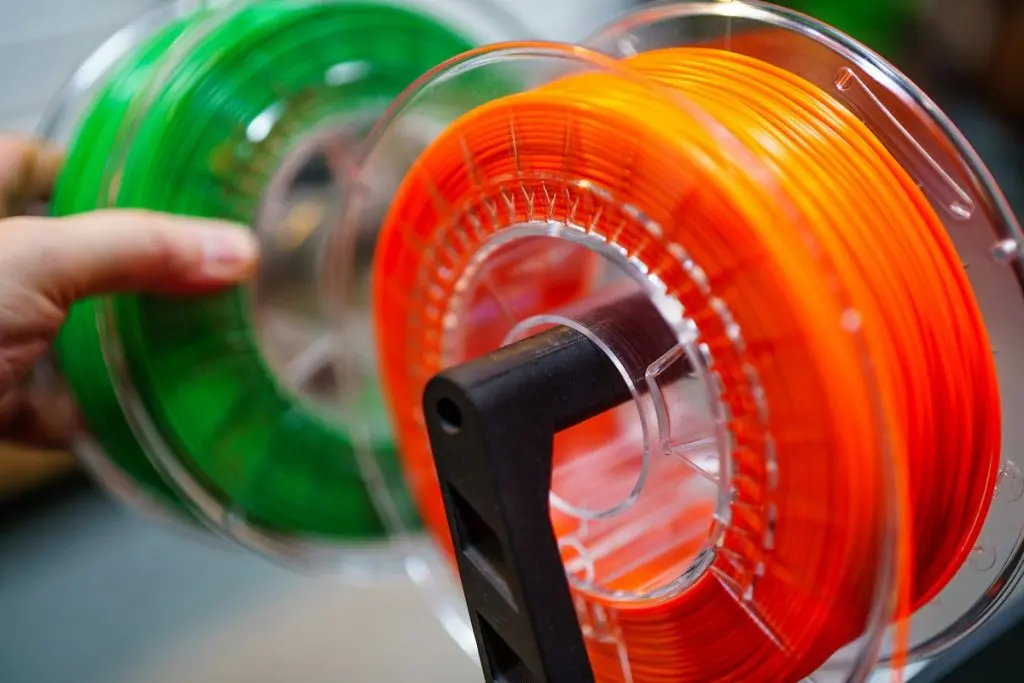
Did you know that some 3D prints are 100% aquarium-safe? If you’ve got a 3D printer at home, a whole world of aquarium possibilities just opened up. From algae scrapers to castle decorations: you can print it all. All you need to know is the right filament to use and how to design safe prints, which all actually happens to be very straightforward.
Below, I’ll explain how to safely print for your reef tank. Let’s get you started!
Choosing your filament
PETG
In my opinion—and that of many other 3D-printing aquarists—the ideal filament for reef tank use is PETG. This thermoplastic polymer, which is based on PET (Polyethylene Terephthalate) but with added glycol, is durable and suitable for use underwater. It’s impact-resistant and can even be made transparent, which opens up all sorts of fun possibilities for our tanks.
As long as you use a dependable, food-safe brand (the cheap ones can contain questionable dyes), your prints will be totally safe for aquarium use after just a quick soak in dechlorinated or RO/DI water. Even without sealing, PETG is inert and safe and won’t warp, crack, or leach even in saltwater. I also like its ease of use: even beginners and those who don’t have an enclosed printer at their disposition will quickly get the hang of printing with PETG.
PLA
3D-printing geeks like us love using PLA (Polylactic Acid) for their prints. We love a sustainable material, and although all plastic filaments have their issues, at least the production process for PLA is more environmentally friendly than the alternatives. Made of lactic acid derived from fermenting plant materials like cornstarch and sugar cane, it’s even biodegradable—although the high temperatures required to make it break down mean it won’t instantly fall apart in your tank.
This being said, PLA does slowly degrade, especially in our tropical saltwater tanks. Over the years, the structural integrity of thinner parts in particular may be compromised. The kicker is we don’t know how bad that is, because the release of microplastics from PLA in reef environments hasn’t really been studied yet. But it’s something to keep in mind, especially if you keep sensitive fish and corals.
I’ve spoken to plenty of people who’ve used PLA in their tanks, and I’ve also done so myself. Most folks are perfectly happy with it, but your best bet would probably be to replace the prints regularly—which kind of cancels out the sustainability aspect. In any case, it’s important to always use food-safe PLA, as regular filaments may leach harmful dyes and other additives.
ABS
ABS (Acrylonitrile Butadiene Styrene) is a popular material for 3D prints that need to be tough and heat-resistant. Great for the aquarium, right? Unfortunately, not really: aside from the fact that it’s difficult to print safely at home due to the toxic fumes associated with the material, its safety profile when submerged isn’t great. Acrylonitrile, butadiene, and styrene can potentially leach, particularly in the warm, salty water of our reef tanks. Common finishing methods, like acetone vapor smoothing, can leave residues that are potentially deadly to your fish unless properly removed.
Although sealing ABS prints with an aquarium-safe cured material like epoxy may help to contain any harmful compounds, it’s not a perfect solution—micro-cracks can occur over time. Some folks do use ABS after extensive testing, but I personally don’t think the advantages outweigh the risks and the hassle. I’m sticking with my PETG!
Nylon
Although it’s tough, flexible, and non-toxic, I personally wouldn’t bother printing aquarium accessories using nylon. Its tendency to absorb water and plasticize when submerged makes it unsuitable for some applications, plus it’s pretty difficult to work with for the average hobbyist printer. Micro-cracks occur quickly, which can cause microplastic flakes to be released.

If you’re looking to print colored items, keep in mind that not all filament dyes are reef-safe! You’re looking for food-grade filament.

- 【Certified Food Grade and Food Contact Safe】– Extruded from Eastman GN071 Copolyester. CARBON PETG Filament is Food Grade Certified by both TÜV SÜD and SGS with reference to 21 CFR 177.1630 of The U.S. Food & Drug Administration Code of Federal Regulations (FDA 21 CFR 177.1630). Certificate included in listing images. GN071 is low odor (GREENGUARD Certified) and safe for the environment (Cradle to Cradle Certified).
- 【Lab Tested & FDA Listed】– Most PETG Filaments are not safe for contact with food. To be considered Food Grade, the Material must meet certain chemical requirements, which are specified by the FDA Code of Federal Regulations. The Material must also be listed with the FDA. The Material should be Laboratory tested in accordance with FDA 21 CFR 177.1630. PETG filaments can be produced from Food Grade and Non-Food Grade Raw Materials. CARBON by Comfy Materials PETG is lab certified by both TÜV SÜD and SGS, in compliance with FDA 21 CFR 177.1630.
- 【Smooth Printing】 — Eastman GN071 Copolyester is one of the easiest resins to extrude and thermoform with. Advanced CCD diameter measuring and self-adaptive control system in the manufacturing produces PETG filaments of 1.75 mm diameter, with dimensional accuracy of: +/- 0.02 mm. A stable dimensional accuracy ensures you a smooth feeding experience.
- 【Mechanical Properties and Consistency】– Use GN071 Copolyester for both 3D Printing and Injection Molding. CARBON by Comfy Materials PETG maintains Mechanical Consistency throughout your Project. Tensile strength (X-Y): 50 ± 1.1 (MPa), Bending modulus: 2100 ± 64 (MPa), Bending strength: 68 ± 2.4 (MPa), Izod impact strength: 103 ± 0.3 (J/m), Deflection Temperature: @0.455 MPa (66 psi) D 648 70 °C (158 °F), Processing Melt Temperature: 249-271 °C (480-520 °F).
- 【Professional Packaging & Compatibility】– Filament is vacuum packaged with desiccant to keep filament dry and free of dust and foreign particles. Perfectly compatible with most FDM 3D printers, that support 3rd party materials. These include: Makerbot, Zortrax, Quidi, Prusa i3 MK3, M3D, Robo 3D, Wanhao, Creality Ender 3, Monoprice, FlashForge and more.
Aquarium-safe design
If you’re looking to design your own prints rather than rely on Thingiverse and other sources, it’s important to keep in mind the special circumstances. Designing for underwater use requires you to think like water—and like fish, which just seem to love getting stuck, tearing their fins, and bumbling into other sorts of calamities.
Here’s a checklist for your designs:
- Every place that water can go into, it should also be able to easily get out of. Otherwise, you’ll create stagnant spaces that will go rank quick.
- Edges should always be smooth to prevent livestock injury. Again, fish are clumsy!
- Speaking of your fish, ensure all gaps are either too small to admit any, or large enough that even the fattest of your tank’s inhabitants can easily get in and out.
- For objects that are open, like hides, you can use a 20-30% infill. Closed objects (ie. something like a ball) may need a higher percentage to prevent floating.
- Walls can usually be printed at 3-4 perimeters.
- Top and bottom layers should usually consist of 6-8 solid layers, to prevent openings that water could creep inside from forming.
- Any textured object placed underwater attracts algae, so smoothness is desirable. If print time is no concern, something like a super-smooth 0.08 mm layer height (15-20 layers for top and bottom to prevent openings from forming) is ideal. If you do need your print to be quick, 0.2 mm (6-8 layers for top and bottom) should still be fine too.
- For prints that will be under any kind of pressure, don’t forget to align layer lines with the main load direction to prevent snapping.
- You can integrate small Ø6 mm holes if you’d like to attach standard suction cups.
- Think about cleaning: you’ll want to be able to easily reach every part of the print with a toothbrush, especially if it’s a décor piece.
- As per usual, test printing at 25% scale can help you identify any issues before moving on to the real deal.
Before you submerge…
- Remove supports and trim wisps carefully so they don’t become microplastics floating around your tank.
- Lightly sand any sharp edges to prevent injuries to your fish.
- Give the print a final scrub and submerge in dechlorinated water for 24 hours. Keep an eye out for floatiness.
- If this is the first time you’re using this particular filament, especially if you feel iffy about the quality, change the soaking water and leave the print in there for another 48 hours before testing the pH, nitrite, and nitrate. Give the water a smell, too—a plasticky odor is obviously not a good sign.

Tyrannosaur skull invertebrate hide, anyone? Just sand down the teeth a little and you’re good to go.
Aquarium print ideas
If you’re an avid 3D-printing aficionado, you’ve probably already got ideas aplenty for your aquarium prints. Frag racks, decorations, hides… the possibilities are practically endless! If you still need more inspiration, I’ve gathered 20 fun and useful aquarium 3D print ideas for you. My favorite, of course, is the bonus print I included at the bottom of the post.
Conclusion
For hobbyist 3D-printing enthusiasts, printing with food-safe PETG is a great way to produce all sorts of fun and useful aquarium accessories. Keeping a few simple guidelines in mind, you can print anything from algae scrapers to coral plugs—and much, much more.